Quick answer
How do you grow a business with Facebook marketing?
- 1Set one clear goal and work out what a lead or sale is worth to you.
- 2Complete your Facebook Business Page and connect it to Meta Business Suite.
- 3Install the Meta Pixel and Conversions API so you can track real results.
- 4Post helpful, human content that builds trust with your ideal customers.
- 5Run Facebook ads with the right objective: reach new people, then retarget the warm ones.
- 6Send clicks to a fast landing page or lead form and reply to every enquiry quickly.
- 7Measure cost per lead and return on ad spend, test one change at a time, then scale what works.
Key takeaways
- Facebook marketing works best as a system: page, content, ads, tracking and follow-up working together.
- Decide what a customer is worth before you spend. That number tells you what you can pay for a lead.
- Tracking (Meta Pixel plus Conversions API) is not optional. Without it, Meta's algorithm can't find buyers for you.
- Let organic content build trust and ads bring reach. Retargeting warm audiences is usually your cheapest win.
- Most failed campaigns fail after the click: slow pages, weak offers and slow replies.
Facebook marketing is still one of the fastest ways for a small or growing business to win new customers. Around three billion people use Facebook every month, and the ad tools let you reach the exact people most likely to buy from you, in your town or across the country, from almost any budget.
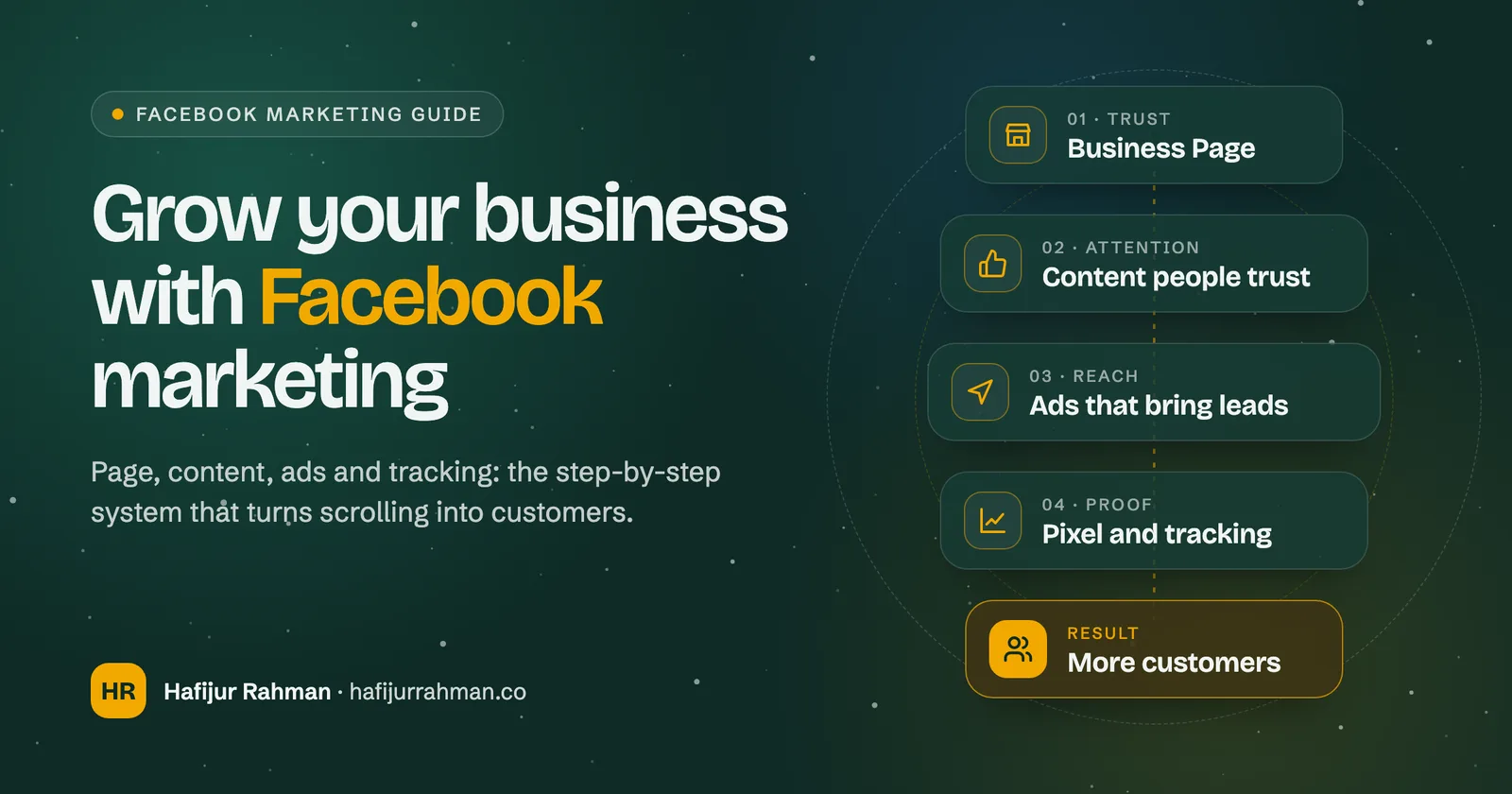
But posting now and then and pressing Boost rarely grows a business. What works is a simple system: a page that builds trust, content people want to see, ads with a clear job, tracking that proves what's working, and a fast follow-up when someone gets in touch. This guide walks you through that system in the order we set it up for clients.
Why Facebook marketing still works in 2026
People don't go to Facebook to shop. They go to catch up with friends, join groups and watch videos. That's exactly why it works for businesses: you meet customers before they start searching, when you have their attention and nobody else is competing for it yet.
- Reach almost anyone. Most adults use Facebook, Messenger or Instagram, and one Meta ad account can show ads on all of them.
- Targeting that learns. Meta's delivery system finds people who behave like your best customers, as long as you give it good data.
- Every budget works. You can start small, prove the numbers and spend more only when it pays back.
- Fast feedback. You'll see within days which message, offer and image people respond to. That insight helps your website, emails and sales calls too.
- Local businesses win big. Location targeting, reviews, Messenger and WhatsApp make it easy for nearby customers to choose you and get in touch.
Step 1: Set one clear goal and know your numbers
Before you post or spend anything, decide what Facebook should do for your business. Pick one main goal for the next 90 days: more calls, more booked appointments, more online orders, or more people on your email list. One goal keeps your content, ads and tracking pointed in the same direction.
Then work out what a new customer is worth. This tells you how much you can afford to pay for a lead, so you can judge your ads on profit instead of likes.
Step 2: Set up a Facebook Business Page that builds trust
Your page is the first thing people check after they see your ad or post. If it looks empty or out of date, they leave. Treat it like a shop window and fill in everything.
Facebook Business Page checklist
- A clear profile picture (your logo, or your face if you are the brand) and a cover image that says what you do.
- A page name people would search for, and a short bio that says who you help and how.
- The right category, opening hours, service area, phone number, email and website link.
- A call-to-action button that matches your goal: Book now, Call now, Send message or Sign up.
- Reviews switched on, and a plan to ask happy customers for them.
- A pinned post that introduces your business and your best offer.
- Messenger and WhatsApp connected, with instant replies and FAQs set up so nobody waits in silence.
Manage the page from Meta Business Suite. It puts your Facebook and Instagram posts, messages, comments and insights in one place and lets you add team members without sharing passwords.
Step 3: Install the Meta Pixel and Conversions API
This is the step most businesses skip, and it's the one that matters most for ads. Meta's algorithm learns from the actions people take on your website. If it can't see who became a lead or a buyer, it can only find people who click, and clickers aren't always customers.
- Meta Pixel: a small piece of code on your website that reports visits and actions (like Lead, Purchase or Schedule) back to Meta.
- Conversions API: sends the same events from your server or website platform. It still works when browsers or ad blockers stop the Pixel, so your data is more complete.
- Events Manager: where you check both are working, see which events fire, and remove duplicates.
- Domain verification: set it up in Business Settings so you control your domain and your results report correctly.
Most website platforms (WordPress, Shopify, Wix, Squarespace) have an official Meta integration that sets up both for you. If your site is custom, this is worth doing properly once. We set it up as part of our analytics and tracking work.
Step 4: Know exactly who you want to reach
Write down who your best customers are: where they live, what problem they have, what they worry about before buying, and what makes them choose you. Every post and ad should speak to that person. Then build these audiences in Ads Manager:
| Audience | Who it reaches | Best for |
|---|---|---|
| Saved audience | People chosen by location, age and interests | New accounts and local services |
| Advantage+ audience | Meta finds buyers for you, guided by your suggestions | Accounts with good conversion tracking |
| Custom audience | Website visitors, video viewers, page engagers, your customer list | Retargeting warm people |
| Lookalike audience | New people who look like your customers or leads | Scaling once you have data |
Start broad rather than narrow. Stacking lots of interests usually makes ads more expensive, and the algorithm often finds better customers when you give it room and good tracking. Keep location and any must-have limits, and let creative do the targeting: an ad that speaks clearly to one type of customer attracts that customer.
Step 5: Create content that people trust
Organic posts won't reach everyone who follows you, but they still matter. People check your page before they buy, and good posts become proof that you know your stuff. They also give you ideas for ads: a post that gets real comments often makes a strong ad.
Pick three or four content pillars
- Teach: quick tips, how-tos and answers to the questions customers ask you every week.
- Prove: reviews, before-and-after photos, short case stories and behind-the-scenes work.
- Show the people: you, your team and your customers. Faces build trust faster than logos.
- Offer: clear posts about what you sell, what it costs to start and how to book.
Use the formats people watch
- Reels and short video: 15–60 seconds, vertical, with captions, because many people watch with the sound off.
- Photo carousels: great for step-by-steps, product ranges and before-and-afters.
- Facebook Groups: start or join groups where your customers ask questions, and help without hard selling.
- Live video and Stories: quick, unpolished updates that show you're real and active.
Post on a schedule you can keep, even if it's three times a week. Reply to every comment and message: conversations show Facebook your content is worth showing, and they turn followers into customers. Need help with this? See our Facebook marketing and content marketing services.
Step 6: Run Facebook ads that bring in leads and sales
Organic content builds trust. Ads bring the reach. Create your campaigns in Meta Ads Manager rather than the Boost button: you get the full choice of objectives, audiences, placements and tracking. Start by choosing the objective that matches your goal from Step 1.
| Objective | What Meta optimises for | Use it when you want |
|---|---|---|
| Awareness | Reach and ad recall | Locals to know your name before they need you |
| Traffic | Link clicks or landing page views | Visitors to read a page or blog post |
| Engagement | Messages, video views, post engagement | Conversations on Messenger or WhatsApp |
| Leads | Form fills, calls and sign-ups | Enquiries, quotes and booked appointments |
| Sales | Purchases and other website conversions | Online orders and paid bookings |
| App promotion | Installs and in-app actions | People to download and use your app |
Build a simple three-stage funnel
- Cold (people who don't know you): a short video or helpful offer to a broad or lookalike audience. Goal: get attention and build a warm audience.
- Warm (people who engaged): retarget video viewers, page engagers and website visitors with proof: reviews, results and clear benefits.
- Hot (people close to buying): retarget people who visited your pricing, contact or checkout page with a direct offer and a reason to act now.
Lead ads (instant forms) are great for service businesses: people send their details without leaving Facebook. Add one or two qualifying questions so you get fewer, better leads. Click-to-message ads open a chat in Messenger or WhatsApp, which works well when customers want to ask a question before they buy.
Budget and the learning phase
Every new ad set goes through a learning phase while Meta works out who to show it to. Meta's guidance is that an ad set needs about 50 results in a week to leave it. So don't judge results on day two, and don't keep editing: big changes restart the learning. Start with a daily budget you could keep for at least two to four weeks, put most of it into one or two campaigns rather than lots of tiny ones, and give each test time to collect real data.
Step 7: Write ads that stop the scroll
With broad targeting, your creative does most of the work. It picks out the right people and tells everyone else to keep scrolling. A strong Facebook ad has four parts:
- A hook in the first line or first two seconds. Name the problem or the result: “Leaking roof after every storm?” beats “Welcome to Smith Roofing”.
- One clear offer. A free quote, a first-visit discount, a guide or a booking slot this week. Make the next step feel small and safe.
- Proof. A real review, a number you can back up, a photo of your work or a face people recognise.
- One call to action. Tell people exactly what to do next and what happens after they do it.
Test different angles, not tiny tweaks: price versus speed versus quality, video versus photo, your face versus the product. Keep the winners, retire ads when results drop or people see them too often, and refresh creative every few weeks. You can see the ads any business is running in the free Meta Ad Library (opens in a new tab), a good source of ideas (study the structure, never copy).
Step 8: Turn clicks into customers
Most failed Facebook campaigns don't fail in the ad. They fail after the click. The visitor lands on a slow, confusing page, can't find the price or the form, and leaves. Fix this and the same ad budget brings in more customers.
Landing page checklist for Facebook traffic
- The headline repeats the promise made in the ad, so people know they're in the right place.
- It loads fast on a phone. Most Facebook clicks come from mobile.
- One goal and one button per page. No menus pulling people away.
- Reviews, photos, guarantees and clear prices or starting prices near the top.
- A short form: ask only what you need to reply.
- A thank-you page that tracks the lead and tells people what happens next.
Then reply fast. A lead is at its warmest in the first few minutes, and people often contact two or three businesses at once. Use instant replies in Messenger and WhatsApp, send lead ad details straight to your inbox or CRM, and follow up with an email or text. Our landing page design and conversion rate optimisation work focuses on exactly this step.
Step 9: Measure, test and scale what works
Likes and reach feel good but don't pay the bills. Check these numbers every week in Ads Manager, and compare them with the leads and sales you actually received:
| Metric | What it tells you | If it looks bad, check |
|---|---|---|
| CPM (cost per 1,000 impressions) | How expensive your audience is to reach | Audience size, season, ad quality |
| CTR (click-through rate) | Whether the ad grabs the right people | Hook, image, offer |
| Cost per lead or purchase | What each result costs you | Landing page, form, offer, tracking |
| Lead-to-customer rate | Whether leads are the right people | Qualifying questions, follow-up speed |
| ROAS (return on ad spend) | Revenue earned for every $1 spent | All of the above |
| Frequency | How often the same person sees your ad | Refresh creative or widen the audience |
Test one thing at a time so you know what made the difference. When an ad set is profitable and stable, scale slowly: a common rule of thumb is to raise the budget by about 20% every few days, rather than doubling it overnight and pushing it back into learning. Then repeat the cycle every month: review, cut what's not working, double down on what is.
Common Facebook marketing mistakes to avoid
- Boosting posts with no goal. Boosts are fine for reach, but leads and sales need a proper campaign in Ads Manager.
- No tracking. Without the Pixel and Conversions API, you can't tell which ads make money and Meta can't optimise for buyers.
- Targeting too narrow. Tiny audiences get expensive fast. Go broader and let your creative choose the customer.
- Changing ads every day. Constant edits keep campaigns stuck in learning. Set a review day and stick to it.
- Sending traffic to your home page. Use a focused landing page or an instant form that matches the ad.
- Slow replies. A lead that waits a day is often already a customer of someone else.
- Judging on likes. Measure cost per lead, cost per customer and profit, not engagement alone.
How much does Facebook marketing cost?
There's no fixed price. You choose your ad budget, and what you pay for each result depends on how competitive your audience is. Costs change by industry, location, season and the quality of your ads and landing page. Organic posting is free apart from your time, or the cost of someone to create the content.
Instead of asking “how much should I spend?”, work backwards from Step 1: if a lead is worth $100 to you and your ads bring them in for $40, every extra dollar you spend is making money, and you can grow the budget with confidence. If you don't know your numbers yet, start with a test budget you're comfortable losing while you learn, and track every lead.
Start growing your business with Facebook
Facebook marketing isn't about going viral. It's about showing up, every week, in front of the right people with a clear message, then making it easy for them to say yes. Get your page and tracking right first, publish content that builds trust, run ads with a clear job, and fix what happens after the click. Do that, and Facebook becomes a steady source of new customers instead of a cost.
If you'd rather have it done for you, we plan, build and run the whole system: page, content, Meta Ads, tracking and landing pages. Start with a free growth audit and we'll show you what to fix first.
Frequently asked questions
Is Facebook marketing still worth it for small businesses?
Yes. Facebook still reaches most adults, and its ad tools let small businesses target nearby or ideal customers from almost any budget. It works best when you combine a complete business page, regular content, ads with a clear goal and proper tracking.
How much should a small business spend on Facebook ads?
Work out what a new customer is worth to you and what you can afford to pay for a lead. Then start with a daily budget you can keep for at least two to four weeks so the campaign can leave the learning phase. Increase it slowly once the cost per lead is profitable.
What is the difference between boosting a post and running a Facebook ad?
Boosting is a quick way to show an existing post to more people, with limited options. Ads created in Meta Ads Manager give you every campaign objective, audience, placement and tracking setting, so they are better for getting leads and sales.
How long does Facebook marketing take to work?
Ads can bring traffic and leads within days, but most campaigns need two to four weeks to leave the learning phase and show stable results. Organic content and trust build over months. Review your numbers weekly and make changes monthly.
Do I need the Meta Pixel and Conversions API?
If you run ads that send people to your website, yes. The Pixel and Conversions API report leads and purchases back to Meta so it can find more people who take those actions, and so you can see which ads actually make money.
Should I advertise on Facebook or Instagram?
Usually both. One Meta ad account runs ads across Facebook, Instagram, Messenger and more. Start with Advantage+ placements, then check results by placement and move budget towards the ones that bring the cheapest customers.

Written by
Hafijur Rahman
Hafijur has spent 7+ years building brands, websites and lead generation for 55+ businesses, including companies in the USA he still works with today. He studied computing at the University of Greenwich.
Want this done for you?
We plan, build and run this for growing businesses. Start with a free audit and a clear plan.